
Operations Library
/
Team & Process
Spreadsheet vs. BPO Software: When a Spreadsheet Stops Being Enough
A practical comparison of spreadsheet-based BPO work and database-backed software for REO teams, audit trails, calculations, and collaboration.
9 MIN READ
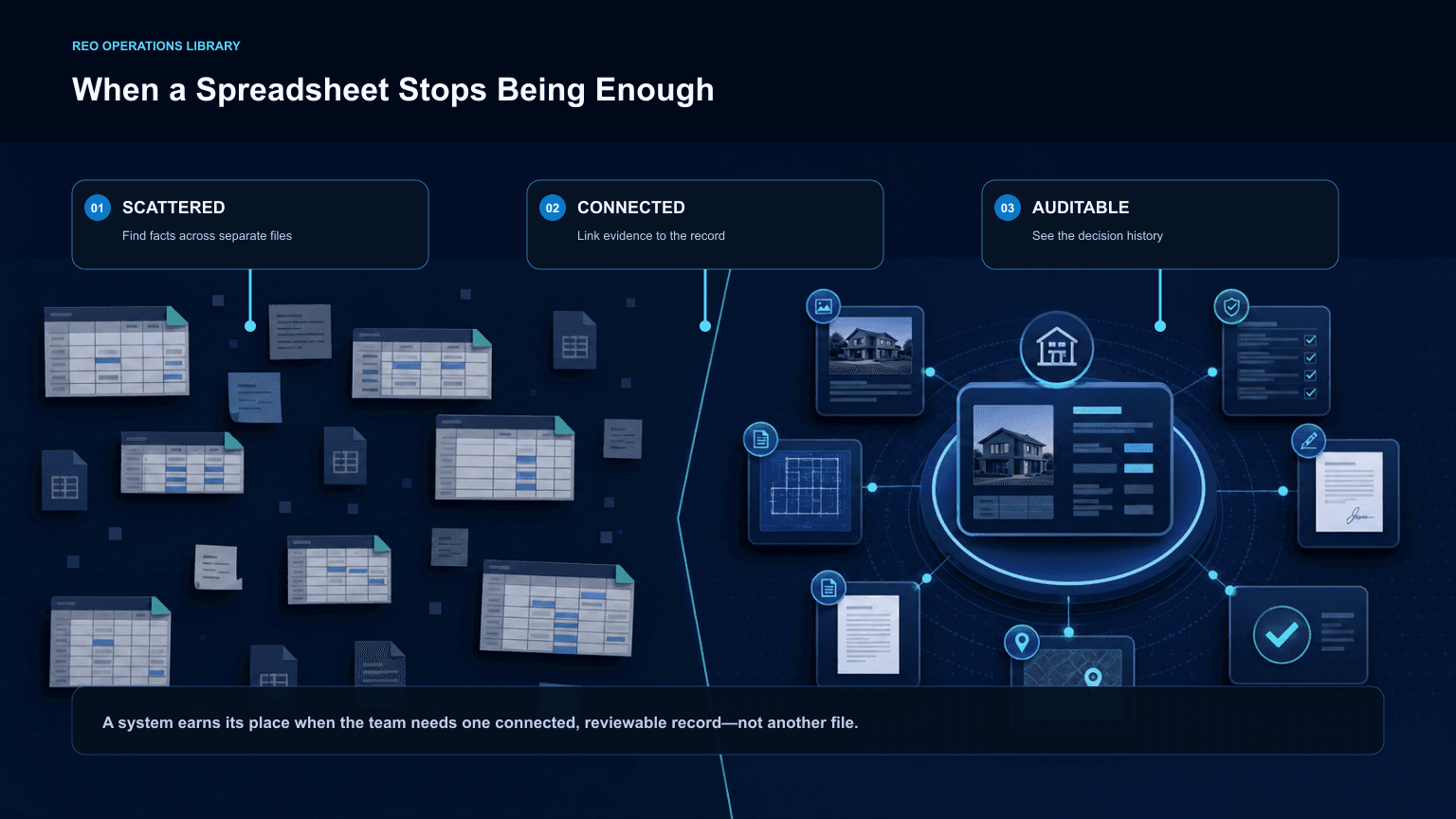
A spreadsheet can be a sensible tool for one person doing calculation-heavy BPO work. A multiuser REO operation needs a database-backed system when it must retain history, orchestrate handoffs, show who changed what and when, and keep the current property record available to everyone.
The difference is not that a spreadsheet is inherently faster. It is often simple when one person can keep track of the work alone. It becomes weak when a team needs a real audit trail and coordinated workflow.
When does a spreadsheet stop being enough?
The threshold is usually multiple users and multiple moving events. A spreadsheet generally shows the present value, not the complete history of prior values, actions, approvals, and handoffs. That makes it difficult to answer: who changed this, what was changed, when, why, and what should happen next?
Use a database-backed workflow when the team needs:
runner, VA, agent, broker, and portal-entry collaboration;
a durable audit trail;
current and historical observations, repairs, photos, and BPOs;
controlled approval states and handoffs;
one source of truth rather than emailed versions; and
visible assignment ownership and next actions.
What should remain in a spreadsheet?
Spreadsheets remain excellent for transparent calculations and iterative decision support, especially for a solo operator. Useful examples include repair-cost planning and strategy models comparing an as-is sale, repairs for financeability, and a fully repaired position.
Those models can make assumptions and arithmetic visible. They should be retained where the calculation itself is central to the decision.
Why should AI not be trusted for heavy math alone?
AI can help draft narratives, organize inputs, and identify questions for review. It should not be the sole calculation engine for heavy arithmetic. Treat calculation outputs as something to verify with a transparent spreadsheet or controlled system calculation.
Use AI for language and review support; use reliable calculation tools for the math; then let the agent and broker judge the conclusion.
What improves first after moving to BPO software?
Collaboration and preparation speed should improve first. With REOEngine, the team can import MLS sheets for the subject and comparable candidates, compare properties in one working view, and select the final set without repeatedly flipping papers or rebuilding front-end data entry.
That does not mean changing the valuation method. Keep the same market heuristics and concepts that already guide the work. Configure the system with the local assumptions that matter: repair-cost multiples, market preferences, prompt instructions, preferred resources, and explicit exclusions.
What should not change too quickly?
Do not replace professional judgment with software defaults. Start by configuring the system around existing market rules, then measure the impact over the first 30–90 days. Review collaboration speed, completed BPOs, rework, comparable coherence, and approval quality.
The system should expose the choices around AI inputs, outputs, and priorities so the brokerage can decide where AI is helpful and where human review remains mandatory.
The practical choice
Use a spreadsheet when working alone and when transparent iterative math is the primary need. Use a database-backed BPO system when the team needs shared history, auditability, coordinated events, controlled approvals, and faster side-by-side comparable review.
Return to the REO Operations Library for more practical guidance on REO valuation and brokerage operations.
See how REOEngine BPO software connects evidence, calculations, review, and handoff beyond a spreadsheet-based workflow.
Use a five-question transition test
A team does not need to abandon a spreadsheet merely because new software is available. The move becomes worthwhile when the work repeatedly requires information the spreadsheet cannot reliably preserve or coordinate.
Do more than one person need to act on the same file?
Do approvals, changes, or handoffs need a durable history?
Is the team rebuilding subject, comparable, repair, or photo information for later work?
Are people relying on email or chat to identify the current version?
Does portal entry require someone to reinterpret another person's work?
Several yes answers point to a shared record and controlled workflow, not a larger spreadsheet.
Keep the calculation tool that makes the reasoning clear
A database-backed workflow and a spreadsheet can work together. Use the shared record for assignments, evidence, approvals, history, and handoff. Keep a spreadsheet when it remains the clearest way to test a calculation or compare scenarios. The goal is not to eliminate a familiar tool; it is to avoid using it as the only record of team decisions.
Keep reading

BPO Workflow
The Complete REO BPO Workflow: MLS Data to Portal Submission
A step-by-step REO BPO workflow covering assignment intake, subject inspection, MLS comparables, adjustments, valuation, review, and portal submission.
15 MIN READ

BPO Workflow
What Should REO BPO Software Actually Automate?
The best BPO software automates repetitive work, catches preventable errors, and drafts routine content—without taking comparable selection or valuation judgment away from the broker.
11 MIN READ

BPO Workflow
BPO Quality-Control Checklist: What to Catch Before Submission
A practical pre-submission checklist for catching weak comparables, inconsistent adjustments, unsupported values, missing photos, and incomplete BPO handoffs.
12 MIN READ
REOEngine
Turn repeatable REO work into a controlled workflow.
Prepare BPOs, organize property records, and keep monthly reporting connected—without giving up broker judgment.

Engineered for REO. Every Asset. Better Results.
© 2026 Collabricon Corporation. All rights reserved.